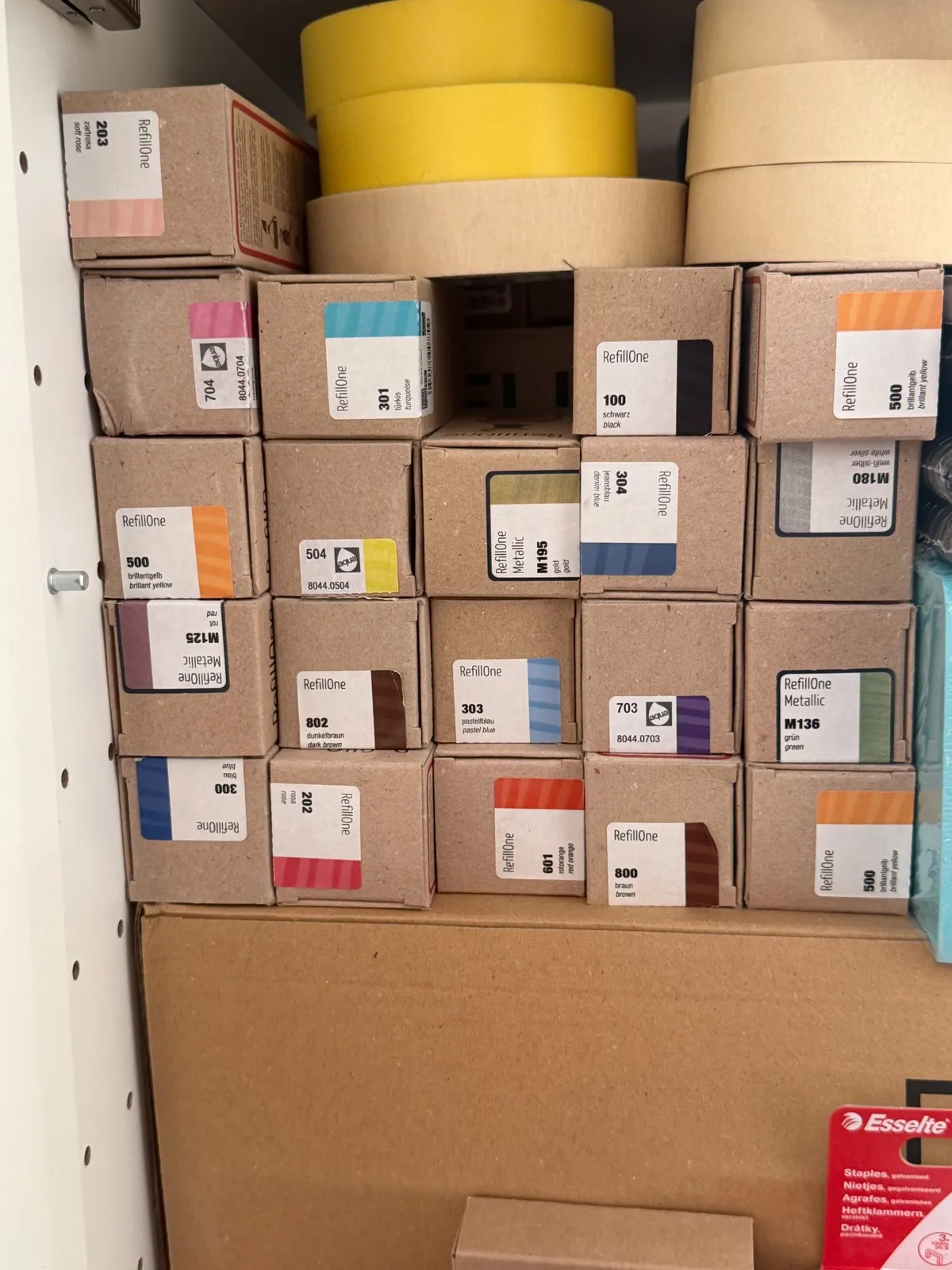
Add the colours you own, whether the bottle is open or the box still sealed. The app then tells you what to reorder.
Select the marker colours you own, across every range: flipchart, acrylic, liquid chalk, whiteboard. The app works out what you are missing.
Your Neuland ink stock, always up to date.
Start with your inventory
Tell the app what you already own: your inks in bottles, your markers in the case. After that, it knows what you’re missing.
Your inks
Two ways to take stock: bottle by bottle, or by photographing your bottles and pasting your assistant’s answer.
Copy the instructions.
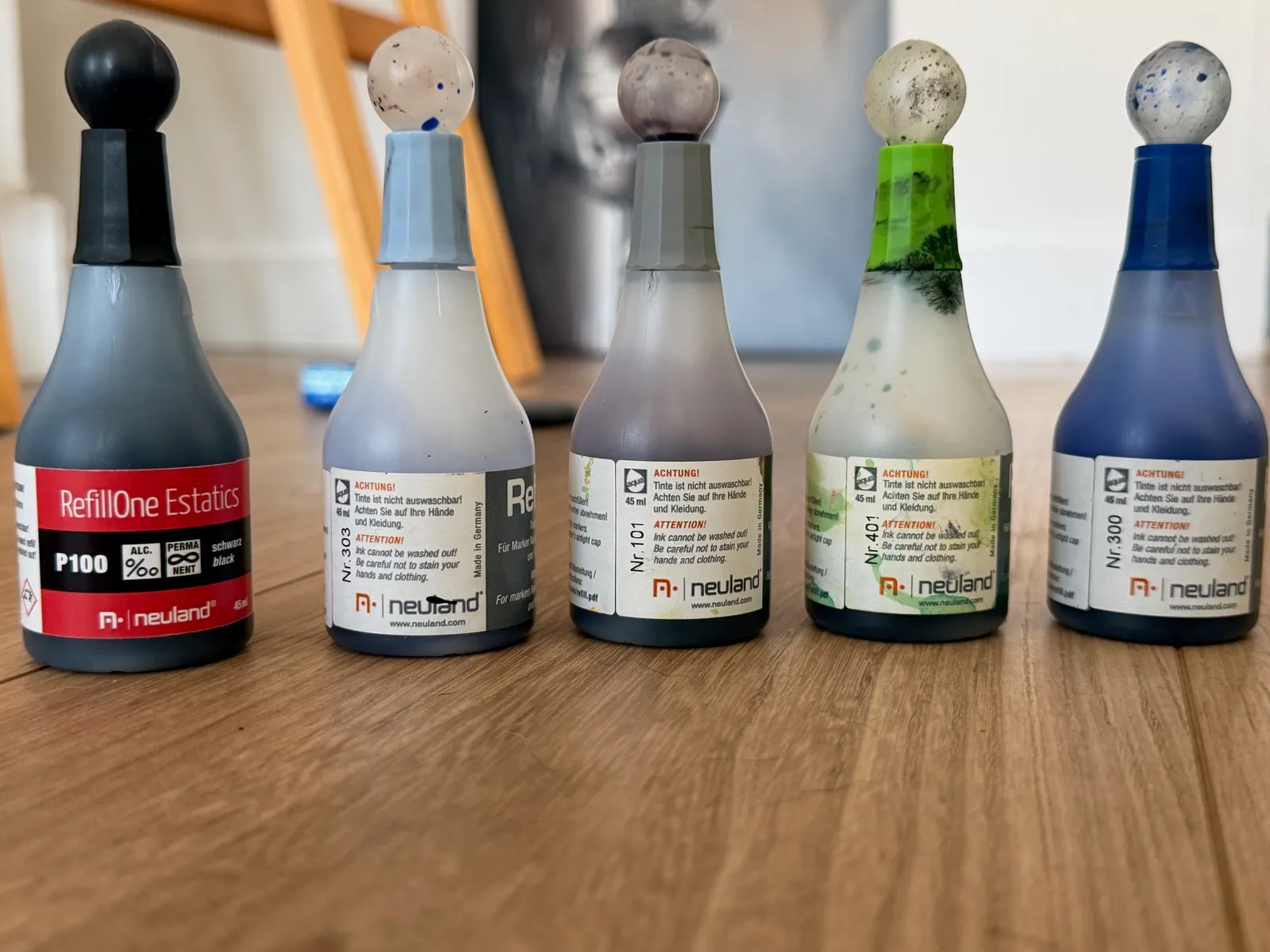
Open your assistant(ChatGPT, Claude, Gemini…), paste the instructions and add the photo of your bottles.For a good reading: labels facing you, a window or a lamp behind the bottles. The ink level then shows through.
Your open bottles, lined up, labels facing you.And your reserve: the assistant counts the sealed boxes.
Paste its answer here.
And your markers
Tick them one by one in the Markers tab — or photograph your case and let your assistant list them.
Copy the instructions.
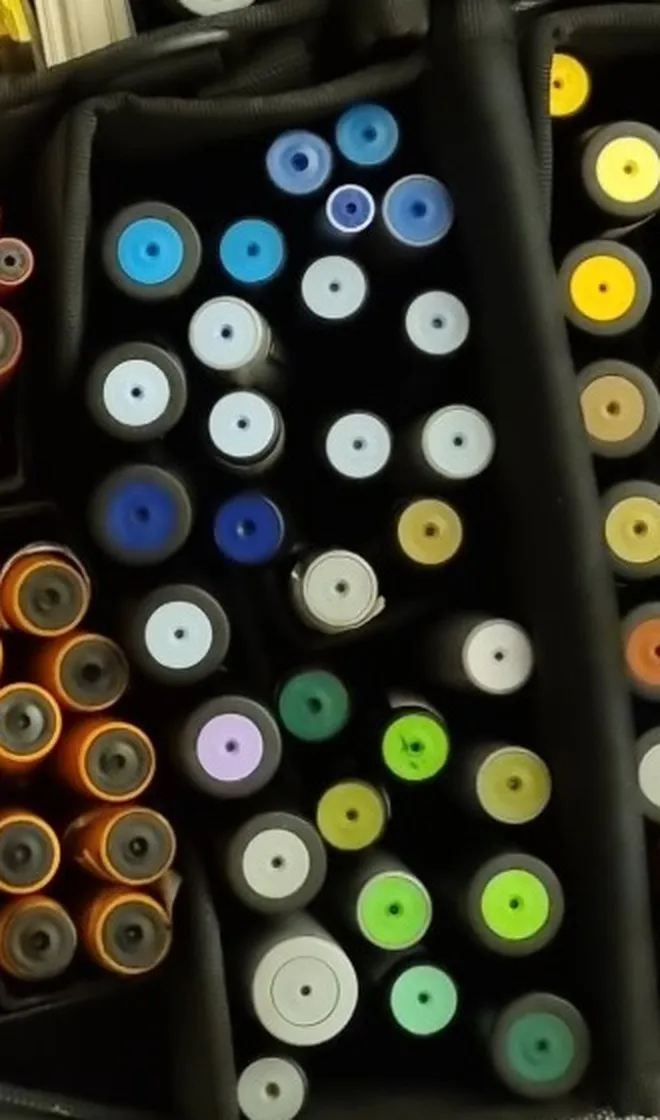
Open your assistant(ChatGPT, Claude, Gemini…), paste the instructions and add the photo of your markers.Two ways: from the side with readable numbers — the reliable source. Or simply by the coloured ends: the assistant compares them to the Neuland chart and proposes a code, you confirm. Greys and neighbouring oranges stay the doubtful cases.
One compartment at a time, flat on: that framing is what returns correct codes. With the whole case, the assistant gets lost.
Paste its answer here.
The cart is filled at Neuland, not here.I am not a reseller: this app is here to keep you organised and to order only what you actually need. The buttons open the Neuland shop with the right colour already selected — affiliate links, they pay me a commission at no extra cost to you.
Each button opens that refill at Neuland with the right colour already selected — one click left to drop it in the cart. Their shop does not yet accept a cart filled from outside; we are working on it with them.
I have used this kit for fifteen years, which is why I recommend it. — Nicolas Verdot, Décoincés du Crayon
Back up my stock
Your stock is kept on this device only — this phone, or this computer. Before you switch, or to use it elsewhere, copy it and keep it in your notes: you can paste it back in the Stocktake tab.
Start from scratch
Erase every colour, bottle and box, to run a fresh stocktake.
Language
The app opens in your device’s language. You can pick another one: your stock stays as it is.
Install the app, and keep your stock
iPhone: in Safari, tap Share, then “Add to Home Screen”.
Android: in Chrome, open the ⋮ menu, then “Install app”.
Mac, in Safari: the File menu, then “Add to Dock”.
Computer, in Chrome or Edge: the install icon, at the right of the address bar.
Once installed, it opens like an app, even with no network.
Why install rather than bookmark: your stock lives in this browser, and Safari erases a site’s data after seven days without a visit. An installed app is spared.
Each device keeps its own stock: nothing travels between your phone and your computer. To move from one to the other, copy your stock above and paste it back in the Stocktake tab.
An app by Nicolas Verdot, Décoincés du Crayon. On-screen colours come from the swatches in the Neuland shop: ink on paper always turns out a little differently.